Password managers
Save Passwords in Browser: Safe or Risky?
Saving passwords in your browser is reasonably safe for low-value accounts, but it leaves meaningful gaps for email, banking, and anything worth stealing. The architecture has no independent vault authentication, meaning OS-level access equals vault access. Here is what the real risk looks like and what to do about it.
Every major browser will memorize every password you type, and so will any info-stealer malware running in the same user session.
Saving passwords in your browser is reasonably safe for low-value accounts. For email, banking, and anything worth stealing, the architecture has real gaps that a dedicated password manager closes. Whether that tradeoff is acceptable depends on what you are protecting and how well your device is secured.
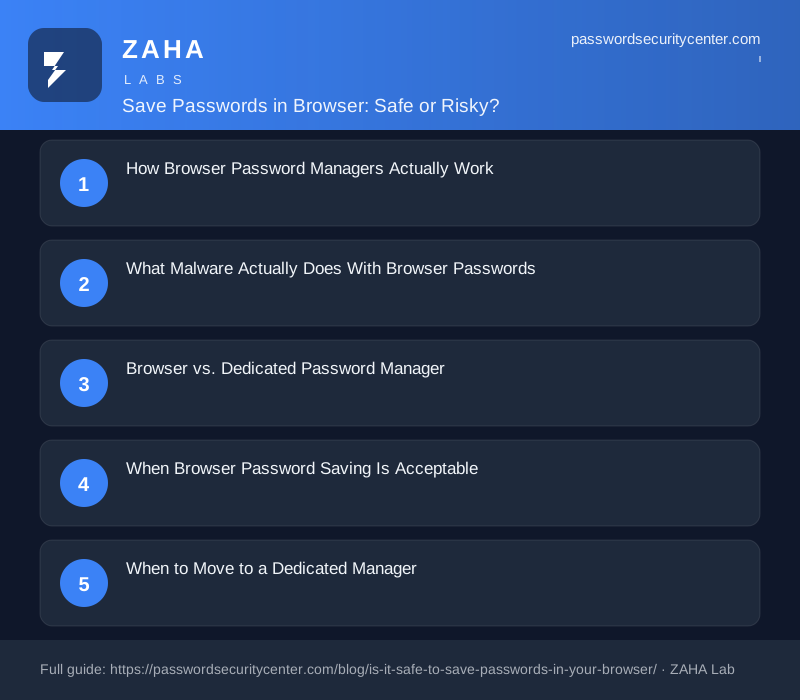
How Browser Password Managers Actually Work
Chrome, Edge, Firefox, and Safari all encrypt saved credentials, but the implementation, and the protection it actually provides, varies in meaningful ways.
Chrome and Edge store passwords in a SQLite database called Login Data. On Windows, the encryption key is protected by the Windows Data Protection API (DPAPI), which binds the key to your Windows user account. On macOS, the key is stored in the system Keychain. Either way, your saved passwords are exactly as secure as your OS login, no more, no less.
Firefox stores credentials in logins.json with keys in key4.db, using Mozilla's NSS library. Firefox offers an optional master password that adds a separate decryption step, but the majority of users never configure it. Without it, the vault opens automatically with the OS session.
Safari integrates directly with the macOS and iOS Keychain. This is arguably the strongest of the four implementations: the Keychain enforces strict OS-level access controls and, on Apple silicon, is backed by the Secure Enclave hardware.
The gap none of them close
None of these browsers require you to authenticate to the vault itself before accessing saved passwords. Once your OS session is unlocked, browser passwords are accessible to any process running with the same user permissions, your browser, yes, but also scripts, applications, and malware.
Dedicated password managers (Bitwarden, 1Password, Dashlane, KeePassXC) add a separate vault password as a second authentication layer. The vault stays locked until you prove you are you, independently of the OS session state.
What Malware Actually Does With Browser Passwords
Info-stealer malware, Redline, Raccoon, Vidar, and similar toolkits, specifically targets browser credential stores. The technique on Windows is direct: request the DPAPI decryption key from the OS (which Windows automatically grants to any process running in the user session), decrypt the browser's credential database, and extract every saved password in bulk. The entire operation takes seconds and requires no interaction from the user.
MITRE ATT&CK documents credential access from browser stores as a well-established, actively used attack technique. Stolen credential batches routinely appear on dark-web markets, where they are purchased and fed into credential stuffing campaigns, automated scripts that test username/password pairs across banking, email, and retail platforms at scale. Verizon's Data Breach Investigations Report consistently identifies compromised credentials as one of the leading factors in confirmed breaches across all industries.
When a single browser install holds 80 or more saved passwords and one malware execution can read all of them, the blast radius of a single infection becomes very large very quickly.
Your primary email account controls every "forgot my password" reset you will ever click. An attacker who accesses your email inherits access to every account that sends recovery emails there. Never save your primary email password in a browser, this account belongs in a dedicated manager with two-step verification enabled.
Browser vs. Dedicated Password Manager
| Feature | Browser Manager | Dedicated Manager |
|---|---|---|
| Encryption at rest | OS-level (DPAPI / Keychain) | AES-256, typically zero-knowledge |
| Separate vault password | No (default on Chrome, Edge, Firefox) | Yes, always required |
| Vault two-factor auth | No | Yes (most managers) |
| Cross-browser support | No, locked to one browser | Yes |
| Breach monitoring | Limited | Yes (HIBP integration common) |
| Password health reports | Basic | Detailed |
| Secure sharing | No | Yes |
| Works in desktop apps | No | Yes |
The gap is not that browsers encrypt badly, the encryption primitives are reasonable. The gap is that browser vaults have no independent authentication layer, no vault-level 2FA, and no active breach detection loop tied to your specific saved accounts.
When Browser Password Saving Is Acceptable
Not every account carries the same risk. Browser storage is a defensible choice when:
- The account is low-value, free news subscriptions, community forums, single-use registrations
- The account holds no financial data, identity documents, or sensitive communications
- You are on a device you fully control, with full-disk encryption and a strong OS password
- You generated a unique password for the account, so a breach there does not expose anything else
The convenience argument deserves a fair hearing. Using browser autofill for low-stakes sites actively encourages unique password generation per site, and reducing password reuse is one of the highest-impact changes most people can make. NCSC password guidance recognizes that expecting users to memorize dozens of complex unique passwords is unrealistic, the goal is a system that makes unique passwords frictionless to use.
Chrome, Edge, and Firefox all offer optional checks that compare saved passwords against compromised credential lists including Have I Been Pwned's Pwned Passwords. This feature is off or buried by default in most browsers. Find it in your password or security settings and turn it on, it surfaces compromised credentials passively without any ongoing effort from you.
When to Move to a Dedicated Manager
Some account categories warrant a dedicated manager regardless of how well-secured your device is.
Primary email, controls account recovery everywhere else. One compromise cascades across every service that sends password resets to that address. This is the single most important account to protect well.
Banking and brokerage accounts, financial loss from stolen credentials can be immediate. Fraud protection processes exist but recovery is time-consuming and outcomes are not guaranteed.
Work and corporate credentials, a breach carries downstream liability for your employer, your clients, and potentially regulated customer data. Many enterprise security policies already prohibit browser-based credential storage for this reason.
Healthcare portals, protected health information is a high-value target and in many jurisdictions triggers mandatory breach notification. Credentials here deserve the same treatment as banking.
Any account where you reused a password, if the same password exists on five sites and one suffers a breach, all five are now exposed to credential stuffing.
NIST SP 800-63B is clear that authentication strength should match the sensitivity of the resource being protected. Treating a banking login with the same storage approach as a podcast newsletter subscription creates a risk mismatch that attackers reliably exploit.
Shared Devices and the Physical Access Problem
If a device is shared, a family computer, a work machine used by multiple people, a hotel business center terminal, browser-saved passwords are accessible to anyone who sits at the machine while your OS session is active. The browser does not verify who is at the keyboard before it fills a password field.
On personal devices, physical access risk is managed by your screen lock and full-disk encryption. But the key architectural point still holds: the security of browser-saved passwords is bounded by OS session security, not by independent vault authentication. Lock your screen whenever you step away from any machine.
Browser password vaults have no auto-lock mechanism. Anyone who opens your browser on an unlocked machine can navigate directly to the saved passwords list or trigger autofill on a login form. An unlocked OS session is an unlocked password vault, treat it accordingly.
The Passkey Exit Ramp
Browser and OS vendors are progressively replacing passwords with passkeys, cryptographic key pairs where the private key never leaves your device. Passkeys cannot be phished, cannot be credential-stuffed, and there is no password to save, steal, or forget. Major platforms including Google, Apple, Microsoft, GitHub, and a growing number of financial services already support passkey enrollment.
The FIDO Alliance maintains a directory of services that accept passkeys. Two-factor authentication via an authenticator app (per RFC 6238) is a strong interim measure for any account that does not yet support passkeys. When a service offers passkey enrollment, use it, the question of where to save the password disappears because there is no password.
What to Do Right Now
- Open your browser's saved passwords list, Chrome:
chrome://password-manager/passwords, Firefox:about:logins, Edge:edge://wallet/passwords. Note every high-value account in the list. - Move email, banking, and work credentials to a dedicated password manager. Bitwarden is free and open-source with a published independent security audit; 1Password and Dashlane are strong commercial alternatives.
- Turn on breach monitoring in your browser's password settings, look for "check passwords" or "Password Checkup" depending on your browser.
- Enable two-factor authentication on email and financial accounts. An authenticator app is stronger than SMS; a hardware security key is stronger still.
- Verify full-disk encryption is active: BitLocker on Windows 10/11 Pro, FileVault on macOS. This limits exposure if your device is lost or stolen.
- Enroll in passkeys wherever the option exists, no password to save means no password to steal.
Browser password managers are not a scam, they are better than sticky notes and vastly better than reusing weak passwords across dozens of sites. But they are not the ceiling. For the accounts that matter most, a dedicated manager with vault 2FA and passkeys wherever possible is the right answer.
Frequently asked questions
Is it safe to save my bank password in Chrome?
Chrome encrypts it using your OS credentials (DPAPI on Windows, Keychain on macOS), but there is no separate vault login, any process running in your OS session can request the decryption key automatically. For banking, use a dedicated password manager with its own master password and two-factor authentication on the vault.
Can someone else see my browser-saved passwords?
Anyone with access to an unlocked OS session on your device can open the browser's password manager and view saved credentials directly. On Windows, info-stealer malware can extract them programmatically without opening the browser at all, by requesting the DPAPI decryption key from the operating system.
Is a dedicated password manager significantly safer than a browser?
Yes, for accounts that matter. Dedicated managers require a master password to unlock the vault, support vault-level two-factor authentication, work across all browsers and native desktop apps, and include active breach monitoring. The encryption quality is comparable, the independent authentication layer is the meaningful security difference.
What is the most secure way to manage passwords today?
Passkeys, where supported, remove the problem entirely, there is nothing to save or steal because authentication uses a device-bound cryptographic key pair. For accounts still using passwords, a dedicated manager with a strong master password and vault 2FA is the most secure practical option. Browser storage is acceptable for low-stakes accounts only.
Sources
- Verizon Data Breach Investigations Report
- MITRE ATT&CK: brute force / credential stuffing
- FIDO Alliance: passkeys
Related reading
Passkeys vs Passwords: What Actually Changes for You
A plain-English guide to passkeys vs passwords: how the key pair works, why phishing fails, what to do if you lose your device, and how to start migra
Password Manager Buying Guide: What Actually Matters
Our password manager buying guide covers zero-knowledge encryption, passkey support, breach monitoring, and what to verify before trusting your vault.

Password Policy Best Practices That Staff Will Actually Follow
The proven password policy best practices: mandate length, ban reuse, deploy a manager with SSO, and enforce phishing-resistant 2FA for admins.